---
title: "Network Topology & Connectivity"
format:
html:
code-fold: false
toc: true
toc-depth: 3
fig-width: 8
out-width: "100%"
jupyter: python3
execute:
cache: true
---
Network topology defines the structural connectivity between nodes - which regions connect to which, with what strength, and across what distance. The graph layer provides a unified interface for both dense and sparse connectivity representations.
# The AbstractGraph Interface
All graph types inherit from `AbstractGraph` and provide these core properties:
```python
from tvboptim.experimental.network_dynamics.graph import AbstractGraph

class MyGraph(AbstractGraph):
    @property
    def n_nodes(self) -> int:
        """Number of nodes in the network."""
        pass

    @property
    def weights(self) -> jnp.ndarray:
        """Weight matrix [n_nodes, n_nodes]."""
        pass

    @property
    def region_labels(self) -> Sequence[str]:
        """Labels for each node (e.g., ['L.BSTS', 'R.MTG', ...])."""
        pass

    @property
    def sparsity(self) -> float:
        """Fraction of non-zero connections (excluding diagonal)."""
        pass

    @property
    def symmetric(self) -> bool:
        """Whether connectivity is symmetric (undirected)."""
        pass

    def verify(self, verbose: bool = True) -> bool:
        """Check for valid structure (finite values, shape consistency)."""
        pass
```
The `weights` property returns a matrix compatible with JAX operations (`@`, `jnp.matmul()`, etc.) for both dense and sparse implementations.
# Dense Graphs
Dense graphs use standard JAX arrays to store the full connectivity matrix. This is the default choice for most brain networks.
## Creating Dense Graphs
```{python}
import jax.numpy as jnp
from tvboptim.experimental.network_dynamics.graph import DenseGraph

# From connectivity matrix
weights = jnp.array([
    [0.0, 0.5, 0.2],
    [0.5, 0.0, 0.8],
    [0.2, 0.8, 0.0]
])

graph = DenseGraph(weights)
graph.verify()
```
The graph automatically detects properties like symmetry and computes sparsity:
```{python}
print(f"Nodes: {graph.n_nodes}")
print(f"Density: {graph.density:.3f}")
print(f"Symmetric: {graph.symmetric}")
print(f"Region labels: {graph.region_labels}")
```
## Random Graph Generation
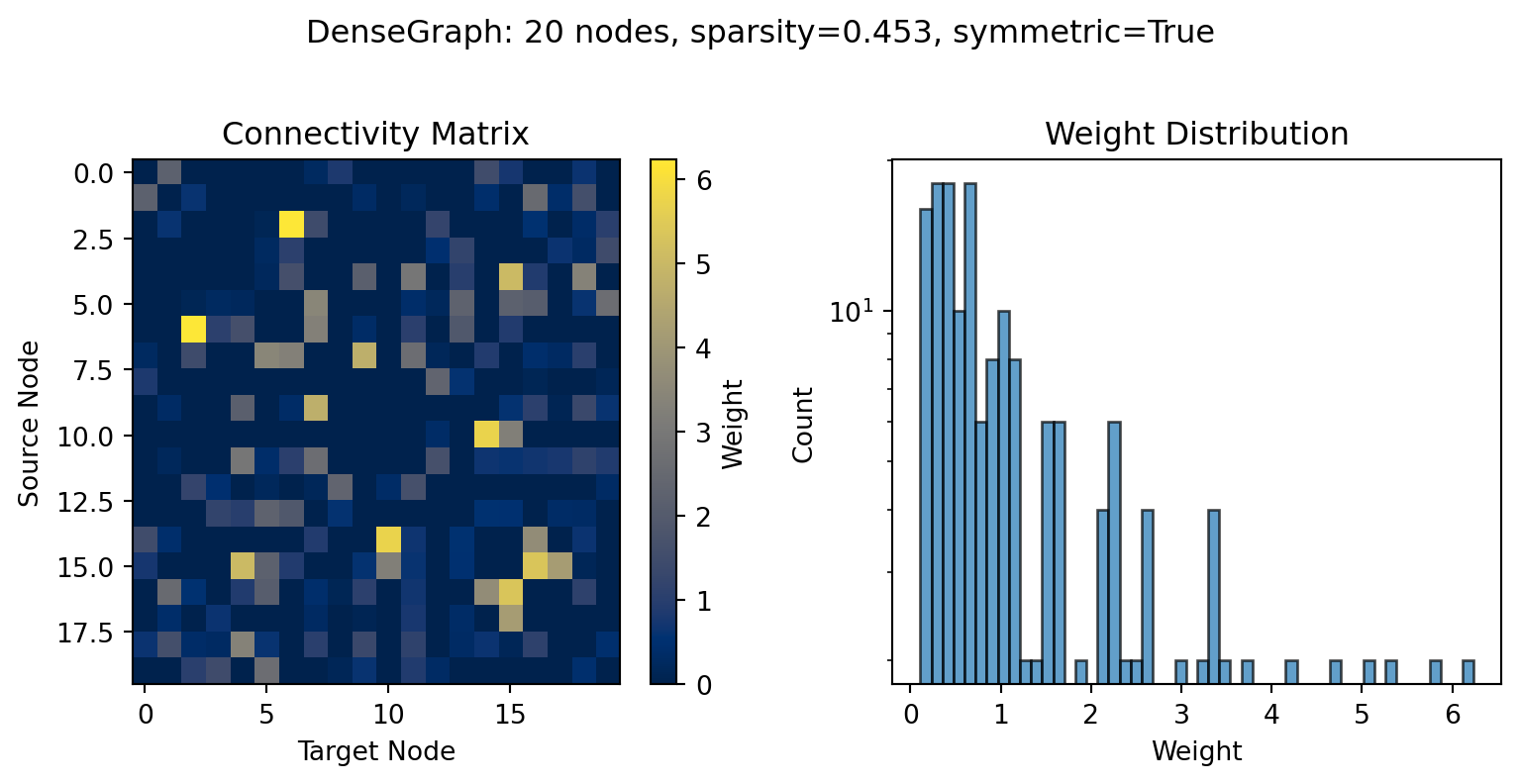
The `.random()` classmethod creates synthetic networks with brain-like connectivity statistics:
```{python}
import jax

# Create random graph with 50% density
key = jax.random.key(42)
random_graph = DenseGraph.random(
    n_nodes=20,
    density=0.5,            # 50% of connections present
    symmetric=True,          # Undirected connectivity
    weight_dist='lognormal', # Heavy-tailed weight distribution
    key=key
)

print(random_graph)
```
```{python}
random_graph.plot(figsize=(8.1, 4));
```
The log-normal weight distribution captures the heavy-tailed structure observed in real brain connectivity, where most connections are weak but a few are very strong.
## Delays: Distance-Dependent Transmission
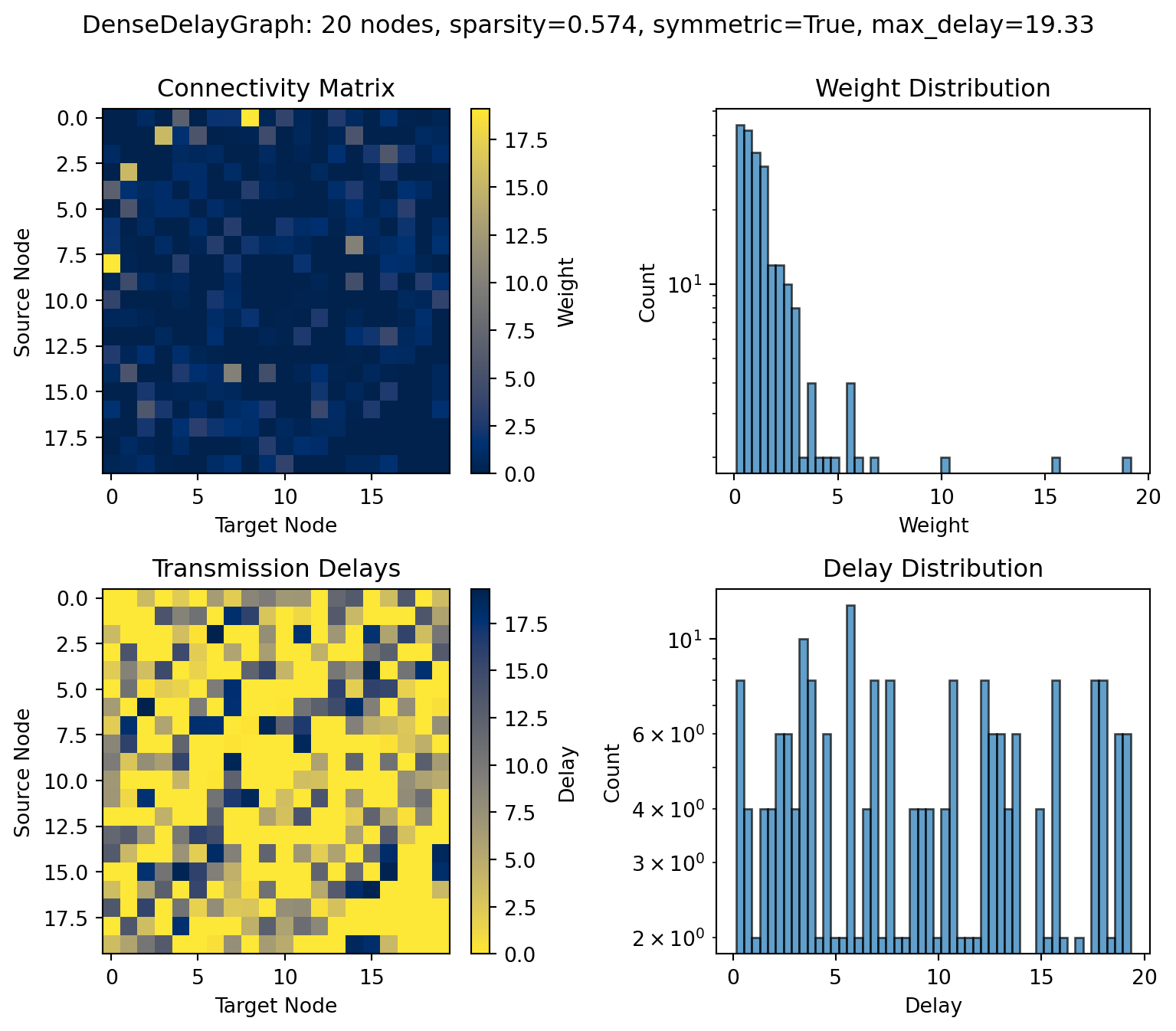
Brain connectivity has finite transmission speeds - signals take time to propagate between regions. `DenseDelayGraph` models this with a delay matrix:
```{python}
from tvboptim.experimental.network_dynamics.graph import DenseDelayGraph

# Create graph with random delays
delay_graph = DenseDelayGraph.random(
    n_nodes=20,
    density=0.6,
    max_delay=20.0,  # Maximum delay in ms
    delay_dist='uniform',
    key=key
)

print(delay_graph)
```
```{python}
delay_graph.plot(figsize=(8.1, 7));
```
Delays are only meaningful for non-zero connections. The delay matrix shares the same sparsity pattern as the weight matrix.
# Sparse Graphs
For very large networks with extremely high sparsity (< 1% density), sparse storage can reduce memory usage. TVB-Optim uses JAX's [BCOO (Batched COO) format](https://jax.readthedocs.io/en/latest/jax.experimental.sparse.html) for sparse graphs. Such high sparsity is typical in surface-based simulations with tens of thousands of vertices.
::: {.callout-warning}
## JAX Sparse Support is Experimental
JAX's sparse matrix support is still experimental and has important performance characteristics:
- **Limited CPU performance**: On CPU, JAX sparse operations are significantly slower than scipy's optimized implementations
- **GPU advantage**: On GPU, sparse operations can perform better than dense for very sparse matrices
- **Sparsity requirement**: Performance benefits typically only appear for extremely sparse matrices (< 1% density)
- **Limited operations**: Not all JAX operations support sparse arrays
For typical parcellated brain networks (50-500 regions with 30-90% density), **dense graphs are strongly recommended**.
:::
## When to Use Sparse Graphs
Use `SparseGraph` when:
- Very large networks (> 10,000 nodes) with extreme sparsity (< 1% density)
- Surface-based simulations with vertex-level connectivity
- Running on GPU with memory constraints
- Storage/serialization size is critical
Use `DenseGraph` when:
- Parcellated brain networks (< 1,000 regions)
- Density > 10%
- Running on CPU
- Performance is priority
## Creating Sparse Graphs
```{python}
from tvboptim.experimental.network_dynamics.graph import SparseGraph

# From dense array (automatically sparsified)
sparse_graph = SparseGraph(random_graph.weights, threshold=0.1)

print(sparse_graph)
print(f"Non-zero elements: {sparse_graph.nnz}")
```
```{python}
# Convert dense to sparse
sparse_from_dense = SparseGraph.from_dense(random_graph, threshold=0.1)

# Create random sparse graph
sparse_random = SparseGraph.random(
    n_nodes=100,
    density=0.1,  # Only 10% density
    key=key
)

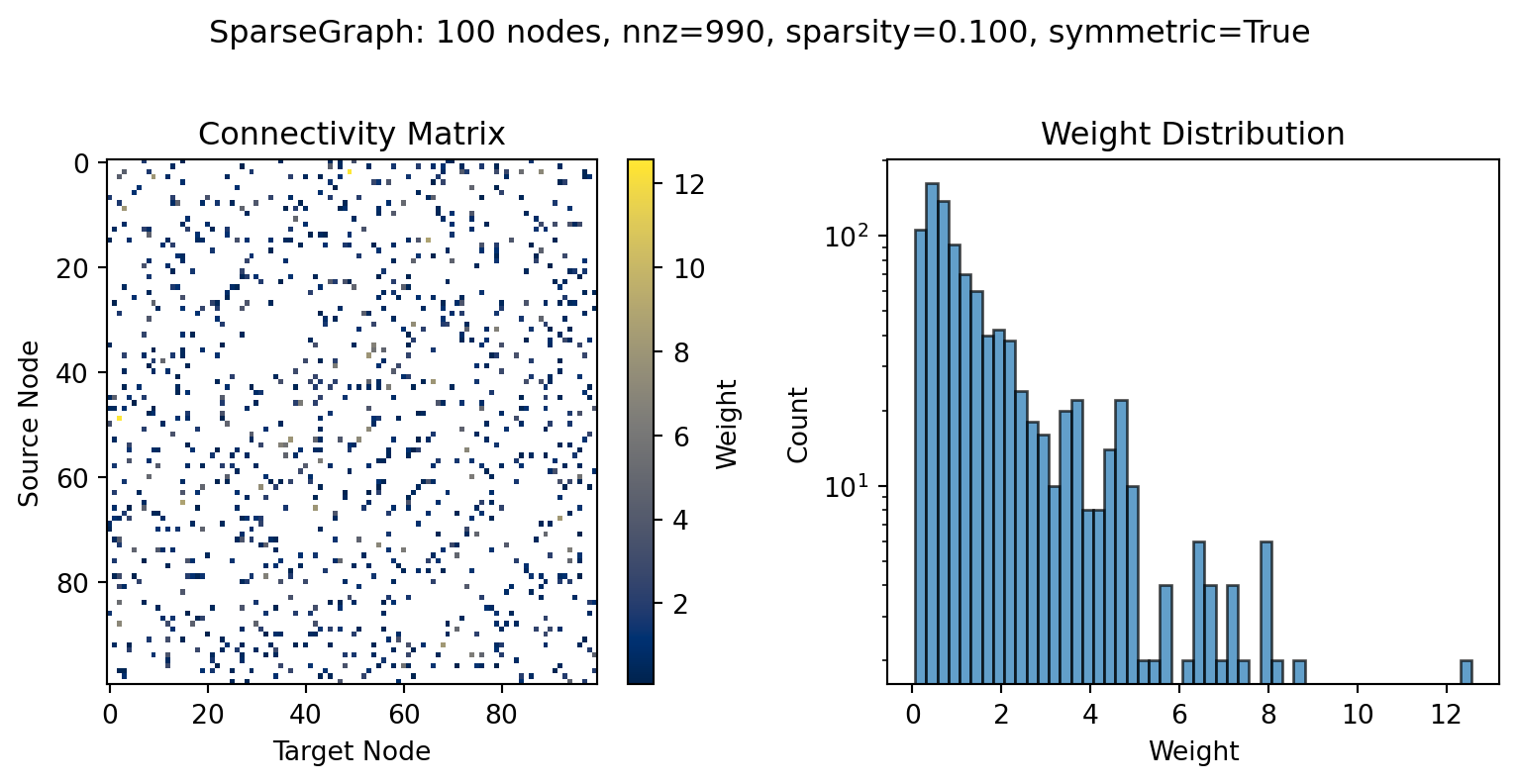
sparse_random.plot(figsize=(8.1, 4));
```
The BCOO format stores only non-zero elements, making it memory-efficient for sparse connectivity.
## Sparse edge order and aligned metadata
Sparse coupling executes directly on the stored edge list. The public
`edge_indices` property returns an `[E, 2]` array in `(target, source)` order,
and `gather_edges()` converts a dense graph-shaped value into that same order:
```python
edge_values = sparse_graph.gather_edges(graph_shaped_values)
target_e = sparse_graph.edge_indices[:, 0]
source_e = sparse_graph.edge_indices[:, 1]
```
Use the `[E]` representation for edge-shaped coupling parameters on large
sparse networks; a graph-shaped parameter remains supported as a migration
layout but still costs O(N²) storage.
`SparseDelayGraph` stores weight and delay data on one shared edge order.
Weighted edges with a zero delay retain an explicit delay slot, so delay
sweeps and gradients do not change topology. Numerical `.data` leaves may be
replaced in an already prepared configuration, while changing the number,
order, or coordinates of edges invalidates the prepared topology and requires
reconstructing the graph and calling `prepare()` again.
# Example Connectivity Data
TVB-Optim includes example structural connectivity datasets useful for testing and development:
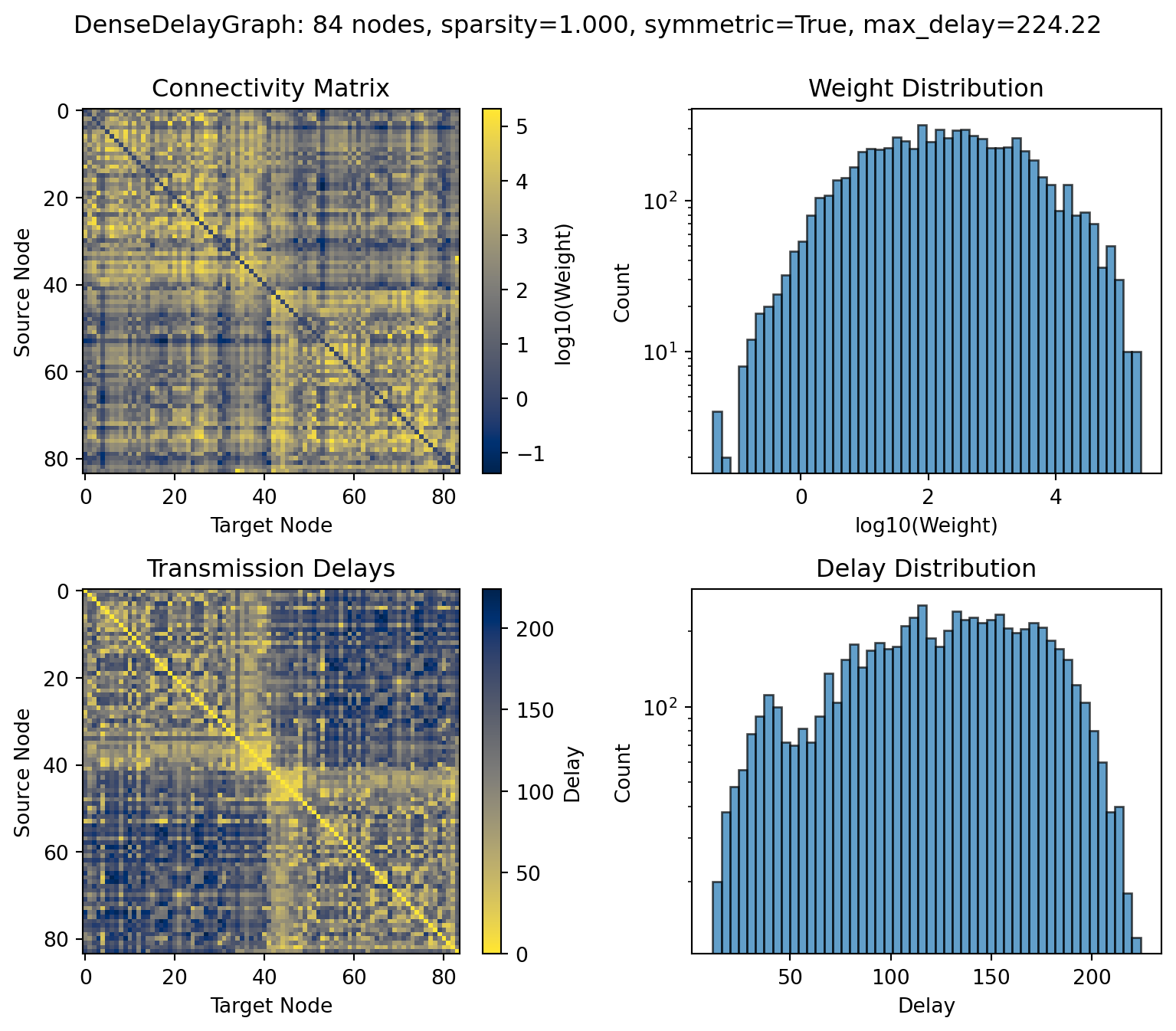
- **`dk_average`**: Desikan-Killiany atlas, 84 cortical regions, averaged across subjects
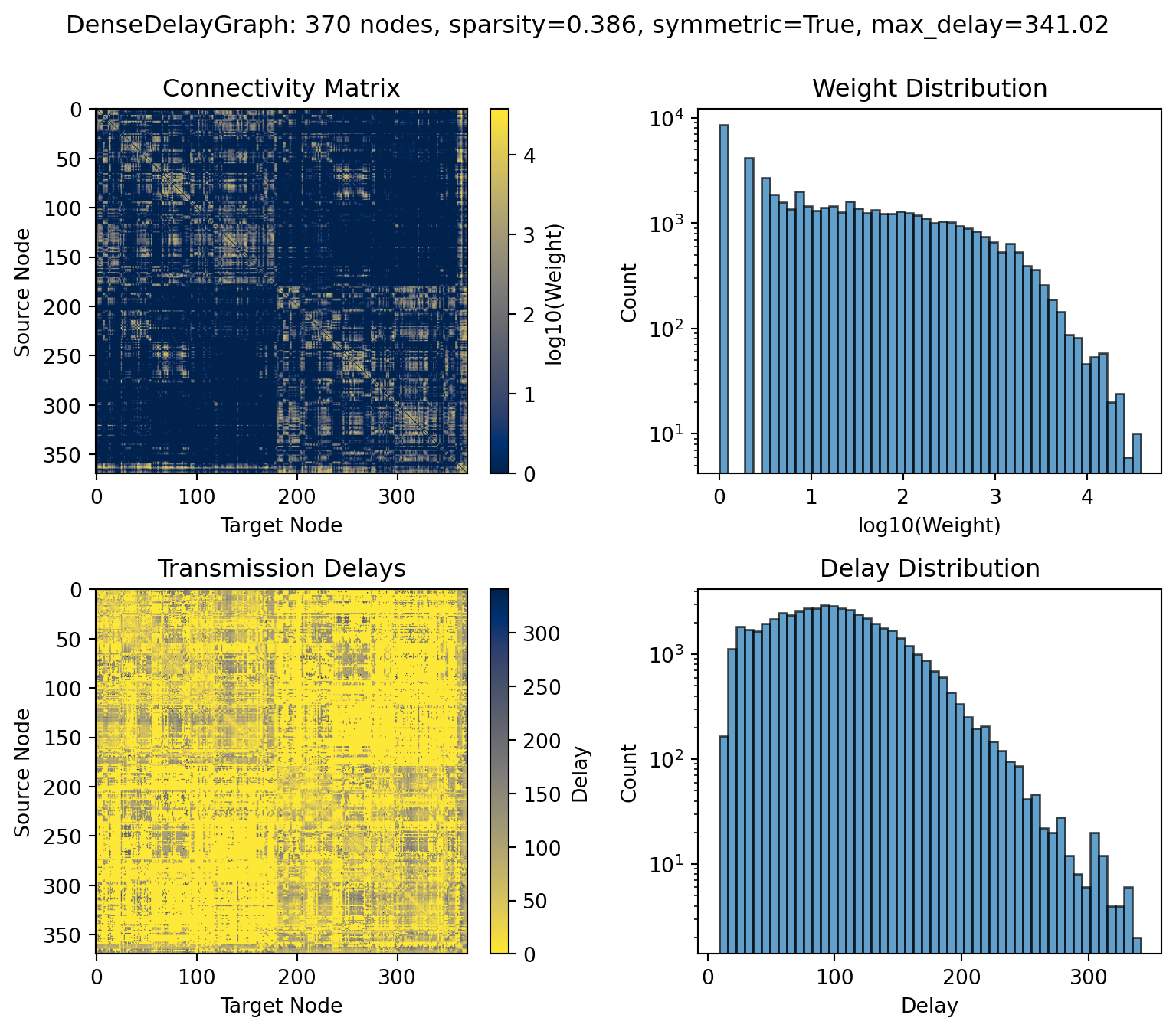
- **`dTOR`**: Virtual DBS dataset with Glasser parcellation, 370 regions (cortex + subcortex + striatum)
## "dk_average"
```{python}
from tvboptim.data import load_structural_connectivity

# Load dk_average dataset
weights_dk, lengths_dk, labels_dk = load_structural_connectivity("dk_average")

print(f"Regions: {len(labels_dk)}")
print(f"Example labels: {labels_dk[:3]}")
print(f"Sparsity: {jnp.count_nonzero(weights_dk) / (weights_dk.shape[0] * (weights_dk.shape[0] - 1)):.3f}")
```
```{python}
# Create graph and plot
graph_dk = DenseDelayGraph(weights_dk, lengths_dk, region_labels=labels_dk)
graph_dk.plot(log_scale_weights=True, figsize=(8.1, 7));
```
## "dTOR"
```{python}
# Load dTOR dataset
weights_dtor, lengths_dtor, labels_dtor = load_structural_connectivity("dTOR")

print(f"Regions: {len(labels_dtor)}")
print(f"Example labels: {labels_dtor[:3]}")
print(f"Sparsity: {jnp.count_nonzero(weights_dtor) / (weights_dtor.shape[0] * (weights_dtor.shape[0] - 1)):.3f}")
```
```{python}
# Create graph and plot
graph_dtor = DenseDelayGraph(weights_dtor, lengths_dtor, region_labels=labels_dtor)
graph_dtor.plot(log_scale_weights=True, figsize=(8.1, 7));
```