---
title: "Axes and Spaces: Systematic Parameter Exploration in TVB-Optim"
format:
html:
code-fold: false
toc: true
toc-depth: 3
fig-width: 8
out-width: "100%"
jupyter: python3
execute:
cache: true
---
# Introduction & Overview
The Axes and Spaces system is a generic parameter exploration framework for JAX-based models. It operates on [JAX pytrees](https://jax.readthedocs.io/en/latest/pytrees.html), including plain dicts, lists, dataclasses, NamedTuples, and the config objects returned by `prepare`. Replace any leaf with an axis and pass the container to `Space` to obtain fully resolved parameter combinations.
The examples in this section use plain dicts to keep the mechanics visible. The execution section applies the same system to a real brain network model config.
Traditional parameter exploration means writing custom loops and managing array indexing by hand. The axis system handles both.
```{python}
import jax
import jax.numpy as jnp
import numpy as np
import matplotlib.pyplot as plt
from tvboptim.types.spaces import Space, GridAxis, UniformAxis, DataAxis, NumPyroAxis

# Any pytree works; here a plain dict has two axes and one fixed value
preview_state = {
    'coupling_strength': GridAxis(0.0, 2.0, 4),
    'noise_level': UniformAxis(0.01, 0.1, 3),
    'fixed_param': 42.0
}

space = Space(preview_state, mode='product', key=jax.random.key(123))
print(f"Parameter space: {len(space)} combinations")

for i, params in enumerate(space):
    if i >= 5: break
    print(f"Combination {i}: coupling={params['coupling_strength']:.2f}, "
          f"noise={params['noise_level']:.4f}, fixed={params['fixed_param']}")
```
# Understanding Axes
## The AbstractAxis Interface
All axes share the same two-method interface:
- **`generate_values(key=None)`**: Returns sample values as a JAX array
- **`size`**: Number of samples this axis generates
```{python}
# Examine the interface
from tvboptim.types.spaces import GridAxis

grid = GridAxis(0.0, 1.0, 5)
print(f"Axis size: {grid.size}")
print(f"Generated values: {grid.generate_values()}")
print(f"Values shape: {grid.generate_values().shape}")
```
Each axis type uses a different sampling strategy; the interface is always the same.
## GridAxis - Deterministic Sampling
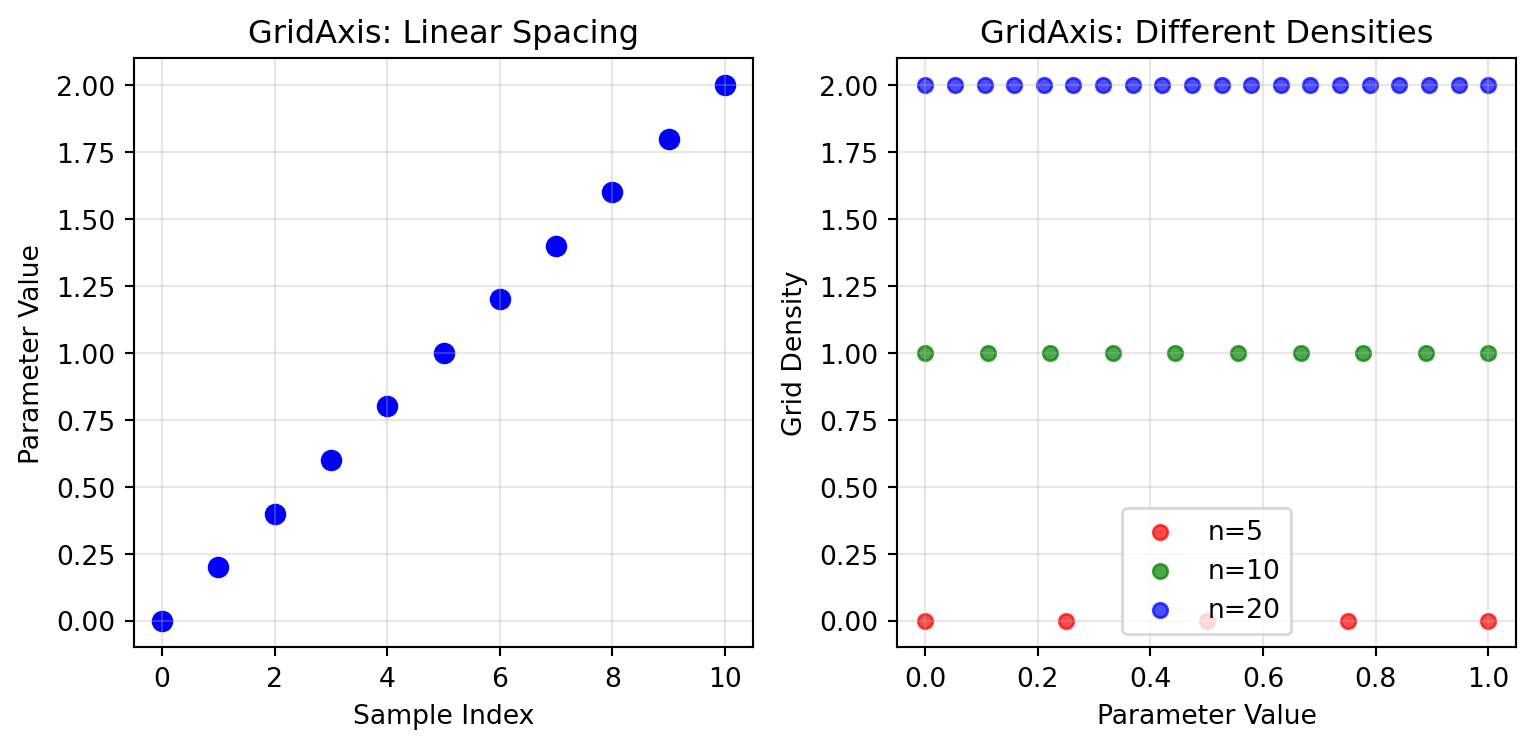
GridAxis samples a deterministic grid across a parameter range. It returns the same values on every run.
```{python}
# Basic grid sampling
grid_basic = GridAxis(0.0, 2.0, 11)
values_basic = grid_basic.generate_values()

print(f"Grid values: {values_basic}")
print(f"Spacing is uniform: {jnp.allclose(jnp.diff(values_basic), jnp.diff(values_basic)[0])}")

# Multiple grid densities
densities = [5, 10, 20]
for n in densities:
    grid = GridAxis(0.0, 1.0, n)
    values = grid.generate_values()
    print(f"n={n:2d}: {len(values)} values from {values[0]:.3f} to {values[-1]:.3f}")
```
```{python}
#| code-fold: true
#| code-summary: "Show visualization code"
# Visualize grid sampling
fig, (ax1, ax2) = plt.subplots(1, 2, figsize=(8.1, 4))

# Plot 1: Basic grid values
ax1.scatter(range(len(values_basic)), values_basic, color='blue', s=50)
ax1.set_xlabel('Sample Index')
ax1.set_ylabel('Parameter Value')
ax1.set_title('GridAxis: Linear Spacing')
ax1.grid(True, alpha=0.3)

# Plot 2: Multiple grid densities
colors = ['red', 'green', 'blue']
for i, (n, color) in enumerate(zip(densities, colors)):
    grid = GridAxis(0.0, 1.0, n)
    values = grid.generate_values()
    ax2.scatter(values, [i] * len(values), color=color, s=30,
               label=f'n={n}', alpha=0.7)

ax2.set_xlabel('Parameter Value')
ax2.set_ylabel('Grid Density')
ax2.set_title('GridAxis: Different Densities')
ax2.legend()
ax2.grid(True, alpha=0.3)

plt.tight_layout()
plt.show()
```
### Shape Broadcasting
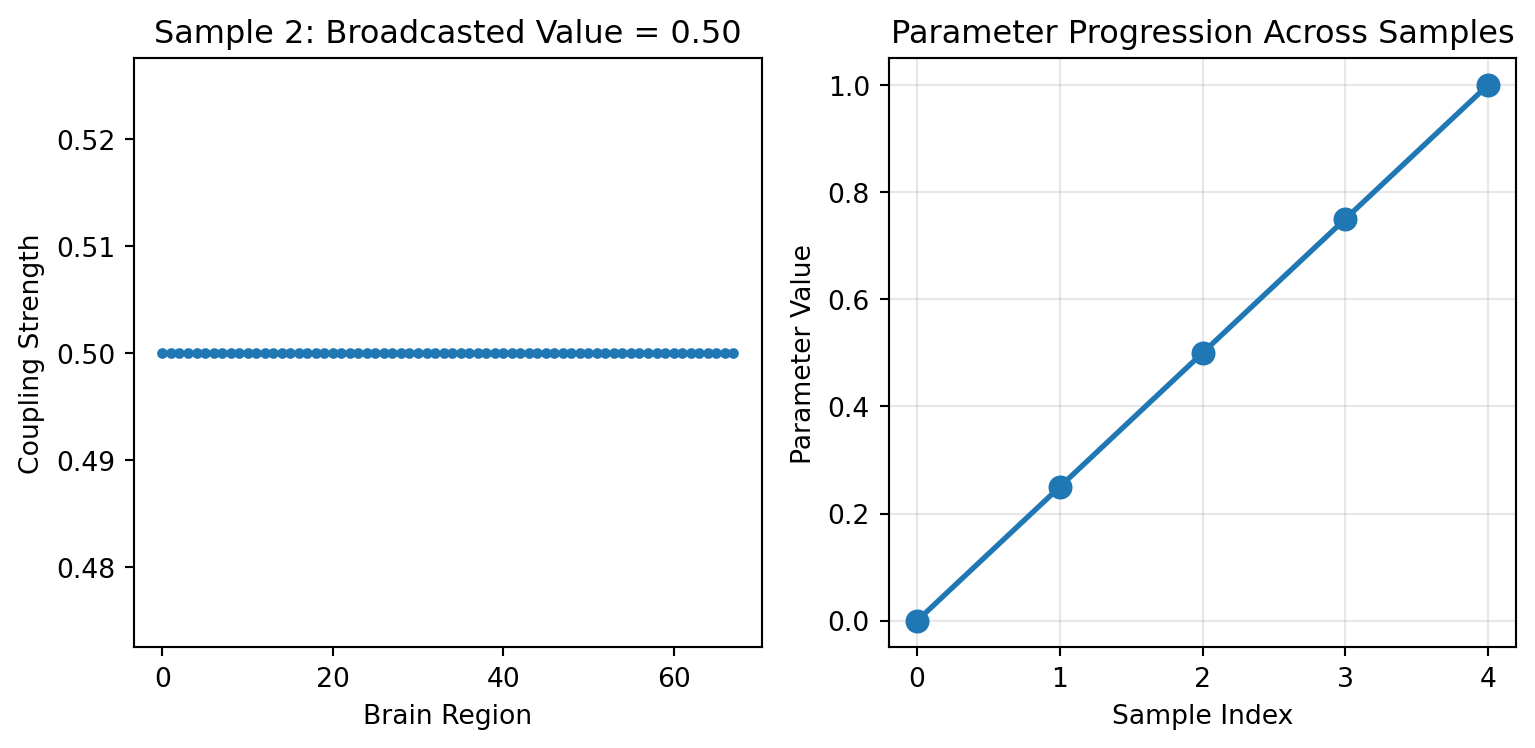
GridAxis and UniformAxis support a `shape` parameter. Each sample becomes a constant array of that shape, which is useful for parameters shared across brain regions:
```{python}
# Example: Regional coupling strengths (68 brain regions)
n_regions = 68
regional_grid = GridAxis(0.0, 1.0, 5, shape=(n_regions,))
regional_values = regional_grid.generate_values()

print(f"Regional grid shape: {regional_values.shape}")
print(f"Each sample has shape: {regional_values[0].shape}")
print(f"Sample 2 value: {regional_values[2][0]:.3f} (broadcasted to all regions)")
print(f"All regions identical per sample: {jnp.allclose(regional_values[2], regional_values[2][0])}")
```
```{python}
#| code-fold: true
#| code-summary: "Show visualization code"
# Visualize the broadcasting
fig, (ax1, ax2) = plt.subplots(1, 2, figsize=(8.1, 4))

# Show that each sample broadcasts the same value
sample_idx = 2
ax1.plot(regional_values[sample_idx], 'o-', markersize=3)
ax1.set_xlabel('Brain Region')
ax1.set_ylabel('Coupling Strength')
ax1.set_title(f'Sample {sample_idx}: Broadcasted Value = {regional_values[sample_idx][0]:.2f}')

# Show progression across samples
ax2.plot(range(5), regional_values[:, 0], 'o-', linewidth=2, markersize=8)
ax2.set_xlabel('Sample Index')
ax2.set_ylabel('Parameter Value')
ax2.set_title('Parameter Progression Across Samples')
ax2.grid(True, alpha=0.3)

plt.tight_layout()
plt.show()
```
## UniformAxis - Random Sampling
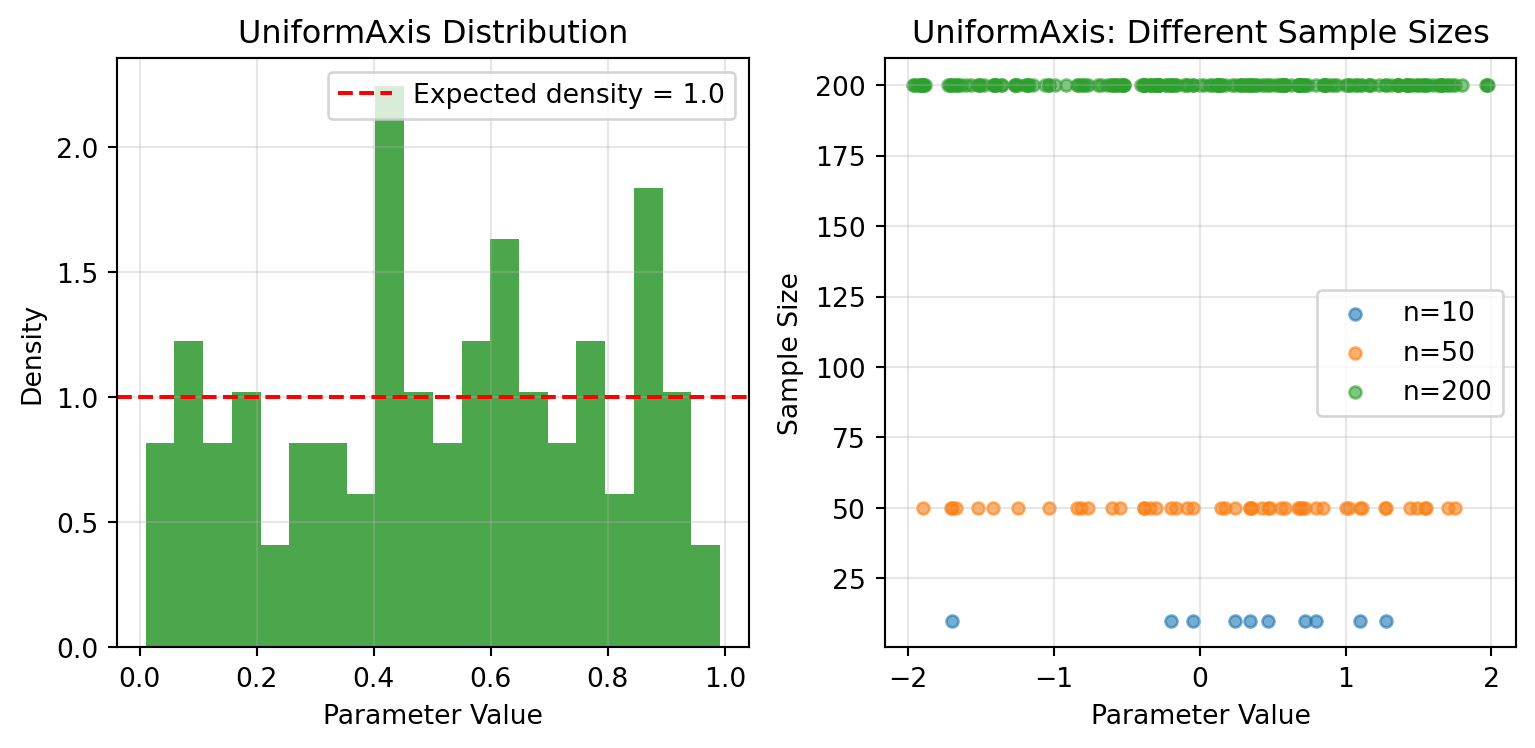
UniformAxis draws samples uniformly at random. Pass the same key and you get identical values.
```{python}
# Reproducible random sampling
key = jax.random.key(42)
uniform = UniformAxis(0.0, 1.0, 100)

values1 = uniform.generate_values(key)
values2 = uniform.generate_values(key)  # Same key = same values
values3 = uniform.generate_values(jax.random.key(43))  # Different key

print(f"Same key gives identical results: {jnp.allclose(values1, values2)}")
print(f"Different key gives different results: {not jnp.allclose(values1, values3)}")
print(f"Mean value: {jnp.mean(values1):.3f} (should be ~0.5)")
print(f"Value range: [{jnp.min(values1):.3f}, {jnp.max(values1):.3f}]")
```
```{python}
#| code-fold: true
#| code-summary: "Show visualization code"
# Visualize distributions
fig, (ax1, ax2) = plt.subplots(1, 2, figsize=(8.1, 4))

# Histogram of uniform samples
ax1.hist(values1, bins=20, alpha=0.7, color='green', density=True)
ax1.axhline(y=1.0, color='red', linestyle='--', label='Expected density = 1.0')
ax1.set_xlabel('Parameter Value')
ax1.set_ylabel('Density')
ax1.set_title('UniformAxis Distribution')
ax1.legend()
ax1.grid(True, alpha=0.3)

# Comparison of different sample sizes
sample_sizes = [10, 50, 200]
for size in sample_sizes:
    uniform_temp = UniformAxis(-2.0, 2.0, size)
    samples = uniform_temp.generate_values(jax.random.key(42))
    ax2.scatter(samples, [size] * len(samples), alpha=0.6, s=20,
               label=f'n={size}')

ax2.set_xlabel('Parameter Value')
ax2.set_ylabel('Sample Size')
ax2.set_title('UniformAxis: Different Sample Sizes')
ax2.legend()
ax2.grid(True, alpha=0.3)

plt.tight_layout()
plt.show()
```
## DataAxis - Predefined Values
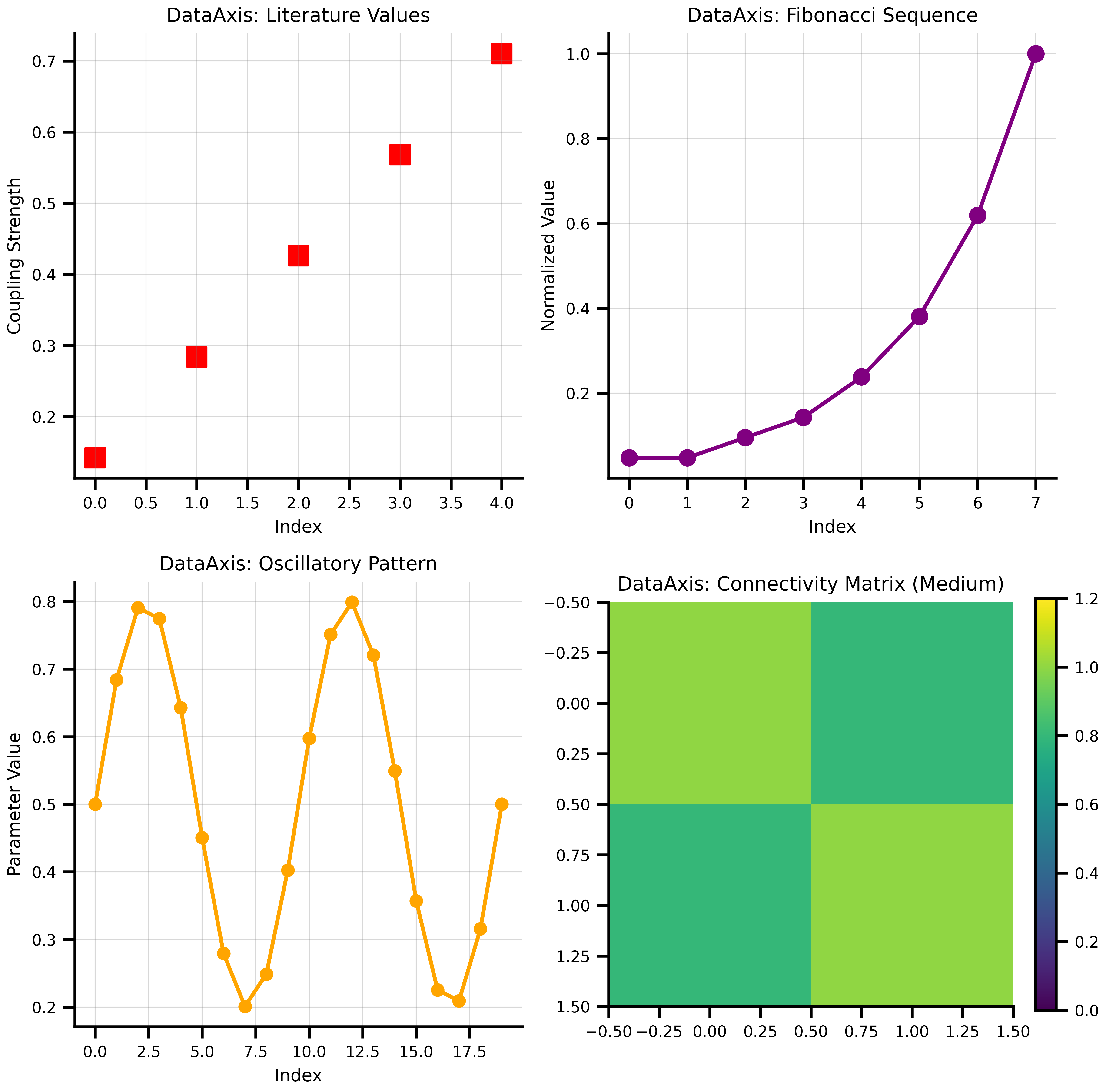
DataAxis lets you use predefined sequences of values.
```{python}
# Example: Testing specific coupling values from literature
literature_values = jnp.array([0.142, 0.284, 0.426, 0.568, 0.710])
data_axis = DataAxis(literature_values)

print(f"DataAxis size: {data_axis.size}")
print(f"Values: {data_axis.generate_values()}")

# Works with multidimensional data too
connectivity_matrices = jnp.array([
    [[1.0, 0.5], [0.5, 1.0]],  # Weak coupling
    [[1.0, 0.8], [0.8, 1.0]],  # Medium coupling
    [[1.0, 1.2], [1.2, 1.0]]   # Strong coupling
])

matrix_axis = DataAxis(connectivity_matrices)
print(f"\nMatrix axis shape: {matrix_axis.generate_values().shape}")
print("First connectivity matrix:")
print(matrix_axis.generate_values()[0])

# Create some creative data patterns
fib_values = jnp.array([1, 1, 2, 3, 5, 8, 13, 21])
fib_normalized = fib_values / fib_values.max()
print(f"\nFibonacci sequence (normalized): {fib_normalized}")

# Oscillatory pattern
t = jnp.linspace(0, 4*jnp.pi, 20)
oscillatory = 0.5 + 0.3 * jnp.sin(t)
print(f"Oscillatory pattern range: [{jnp.min(oscillatory):.3f}, {jnp.max(oscillatory):.3f}]")
```
```{python}
#| code-fold: true
#| code-summary: "Show visualization code"
# Visualize different data patterns
fig, axes = plt.subplots(2, 2, figsize=(8.1, 8))

# 1. Literature values
ax = axes[0, 0]
ax.scatter(range(len(literature_values)), literature_values,
          color='red', s=100, marker='s')
ax.set_xlabel('Index')
ax.set_ylabel('Coupling Strength')
ax.set_title('DataAxis: Literature Values')
ax.grid(True, alpha=0.3)

# 2. Fibonacci sequence
fib_axis = DataAxis(fib_normalized)
ax = axes[0, 1]
ax.plot(fib_normalized, 'o-', color='purple', linewidth=2, markersize=8)
ax.set_xlabel('Index')
ax.set_ylabel('Normalized Value')
ax.set_title('DataAxis: Fibonacci Sequence')
ax.grid(True, alpha=0.3)

# 3. Oscillatory pattern
osc_axis = DataAxis(oscillatory)
ax = axes[1, 0]
ax.plot(oscillatory, 'o-', color='orange', linewidth=2, markersize=6)
ax.set_xlabel('Index')
ax.set_ylabel('Parameter Value')
ax.set_title('DataAxis: Oscillatory Pattern')
ax.grid(True, alpha=0.3)

# 4. Connectivity matrix visualization
ax = axes[1, 1]
im = ax.imshow(matrix_axis.generate_values()[1], cmap='viridis', vmin=0, vmax=1.2)
ax.set_title('DataAxis: Connectivity Matrix (Medium)')
plt.colorbar(im, ax=ax, fraction=0.046)

plt.tight_layout()
plt.show()
```
## NumPyroAxis - Distribution Sampling
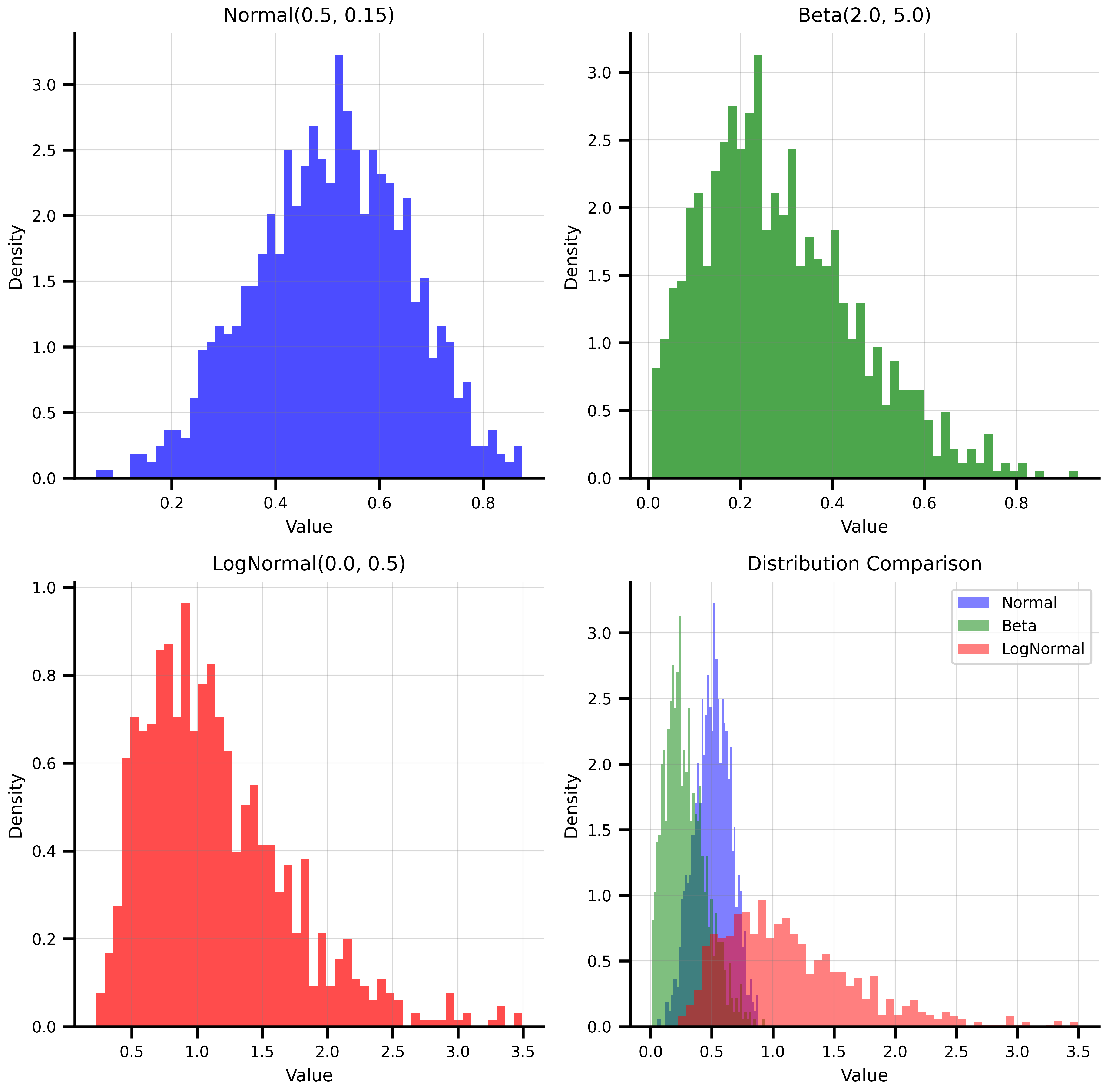
NumPyroAxis wraps any NumPyro distribution, making it a natural fit for Bayesian workflows and uncertainty quantification.
```{python}
import numpyro.distributions as dist

# Different distribution types
key = jax.random.key(42)

# Normal distribution - common for many biological parameters
normal_axis = NumPyroAxis(dist.Normal(0.5, 0.15), n=1000)
normal_samples = normal_axis.generate_values(key)

# Beta distribution - great for bounded parameters [0,1]
beta_axis = NumPyroAxis(dist.Beta(2.0, 5.0), n=1000)
beta_samples = beta_axis.generate_values(key)

# LogNormal - for positive-only parameters like time constants
lognormal_axis = NumPyroAxis(dist.LogNormal(0.0, 0.5), n=1000)
lognormal_samples = lognormal_axis.generate_values(key)

print(f"Normal samples: mean={jnp.mean(normal_samples):.3f}, std={jnp.std(normal_samples):.3f}")
print(f"Beta samples: mean={jnp.mean(beta_samples):.3f}, range=[{jnp.min(beta_samples):.3f}, {jnp.max(beta_samples):.3f}]")
print(f"LogNormal samples: mean={jnp.mean(lognormal_samples):.3f}, median={jnp.median(lognormal_samples):.3f}")
```
```{python}
#| code-fold: true
#| code-summary: "Show visualization code"
# Visualize the distributions
fig, axes = plt.subplots(2, 2, figsize=(8.1, 8))

# Normal distribution
ax = axes[0, 0]
ax.hist(normal_samples, bins=50, density=True, alpha=0.7, color='blue')
ax.set_xlabel('Value')
ax.set_ylabel('Density')
ax.set_title('Normal(0.5, 0.15)')
ax.grid(True, alpha=0.3)

# Beta distribution
ax = axes[0, 1]
ax.hist(beta_samples, bins=50, density=True, alpha=0.7, color='green')
ax.set_xlabel('Value')
ax.set_ylabel('Density')
ax.set_title('Beta(2.0, 5.0)')
ax.grid(True, alpha=0.3)

# LogNormal distribution
ax = axes[1, 0]
ax.hist(lognormal_samples, bins=50, density=True, alpha=0.7, color='red')
ax.set_xlabel('Value')
ax.set_ylabel('Density')
ax.set_title('LogNormal(0.0, 0.5)')
ax.grid(True, alpha=0.3)

# Comparison of all three
ax = axes[1, 1]
ax.hist(normal_samples, bins=50, density=True, alpha=0.5, color='blue', label='Normal')
ax.hist(beta_samples, bins=50, density=True, alpha=0.5, color='green', label='Beta')
ax.hist(lognormal_samples[lognormal_samples < 5], bins=50, density=True, alpha=0.5, color='red', label='LogNormal')
ax.set_xlabel('Value')
ax.set_ylabel('Density')
ax.set_title('Distribution Comparison')
ax.legend()
ax.grid(True, alpha=0.3)

plt.tight_layout()
plt.show()
```
### Independent vs Broadcast Sampling
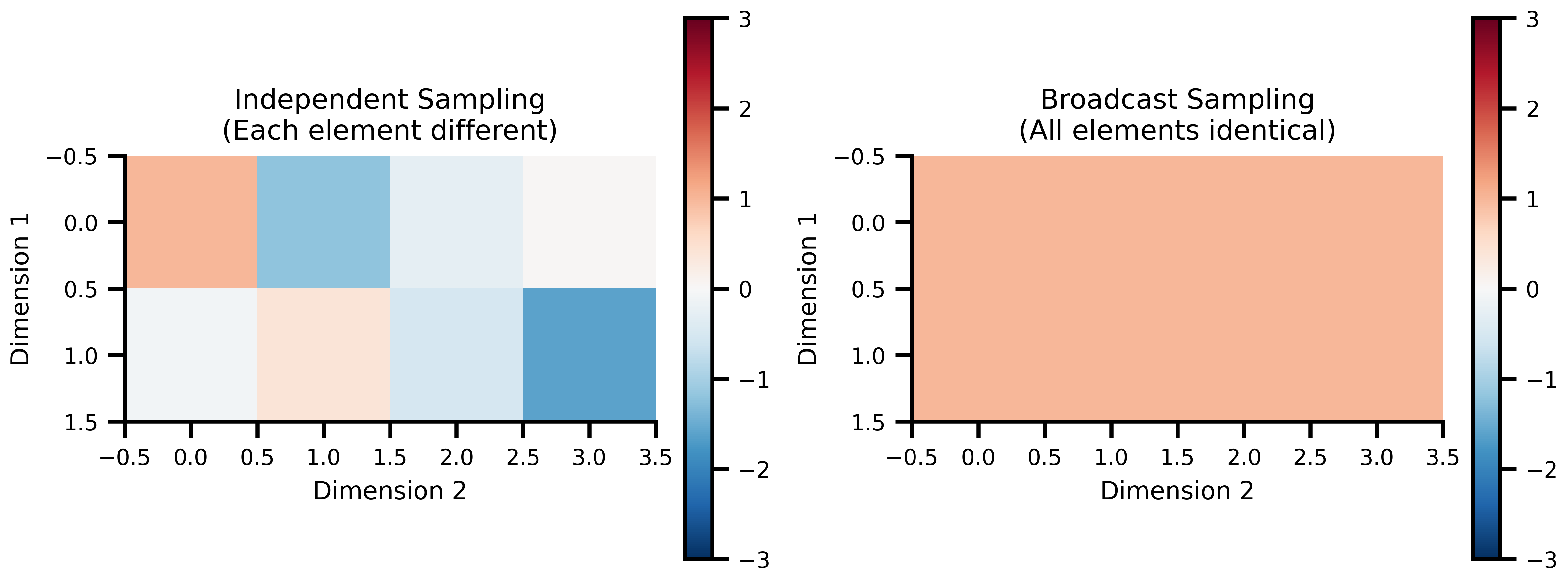
NumPyroAxis supports two sampling modes for different modeling scenarios:
```{python}
key = jax.random.key(456)

# Independent mode: each element sampled independently
independent_axis = NumPyroAxis(
    dist.Normal(0.0, 1.0),
    n=3,
    sample_shape=(2, 4),
    broadcast_mode=False
)
independent_samples = independent_axis.generate_values(key)

# Broadcast mode: one sample per axis point, broadcast to shape
broadcast_axis = NumPyroAxis(
    dist.Normal(0.0, 1.0),
    n=3,
    sample_shape=(2, 4),
    broadcast_mode=True
)
broadcast_samples = broadcast_axis.generate_values(key)

print("Independent sampling:")
print(f"Shape: {independent_samples.shape}")
print("Sample 0 (each element different):")
print(independent_samples[0])
print()

print("Broadcast sampling:")
print(f"Shape: {broadcast_samples.shape}")
print("Sample 0 (all elements identical):")
print(broadcast_samples[0])
print(f"All elements identical: {jnp.allclose(broadcast_samples[0], broadcast_samples[0].flatten()[0])}")
```
```{python}
#| code-fold: true
#| code-summary: "Show visualization code"
# Visualize the difference
fig, (ax1, ax2) = plt.subplots(1, 2, figsize=(8.1, 4))

# Independent sampling heatmap
im1 = ax1.imshow(independent_samples[0], cmap='RdBu_r', vmin=-3, vmax=3)
ax1.set_title('Independent Sampling\n(Each element different)')
ax1.set_xlabel('Dimension 2')
ax1.set_ylabel('Dimension 1')
plt.colorbar(im1, ax=ax1, fraction=0.046)

# Broadcast sampling heatmap
im2 = ax2.imshow(broadcast_samples[0], cmap='RdBu_r', vmin=-3, vmax=3)
ax2.set_title('Broadcast Sampling\n(All elements identical)')
ax2.set_xlabel('Dimension 2')
ax2.set_ylabel('Dimension 1')
plt.colorbar(im2, ax=ax2, fraction=0.046)

plt.tight_layout()
plt.show()
```
# Composing with Space
## Basic Space Creation
Space takes a state tree with axes at varying leaves and plain values at fixed leaves, then generates the requested parameter combinations.
```{python}
# Create a realistic brain simulation parameter space
simulation_state = {
    'coupling': {
        'strength': GridAxis(0.1, 0.8, 5),      # Coupling strength
        'delay': UniformAxis(5.0, 25.0, 3),     # Transmission delays (ms)
    },
    'model': {
        'noise_amplitude': DataAxis([0.01, 0.02, 0.05]),  # Noise levels from pilot study
        'time_constant': 10.0,                    # Fixed parameter
    },
    'simulation': {
        'dt': 0.1,                               # Fixed time step
        'duration': 1000,                        # Fixed duration
    }
}

# Create the space
space = Space(simulation_state, mode='product', key=jax.random.key(789))
print(f"Parameter space contains {len(space)} combinations")
print(f"Combination modes: 5 × 3 × 3 = {5*3*3} (Grid × Uniform × Data)")

# Look at a few parameter combinations
print("\nFirst 3 parameter combinations:")
print("=" * 50)

for i, params in enumerate(space):
    if i >= 3: break
    print(f"\nCombination {i}:")
    print(f"  Coupling strength: {params['coupling']['strength']:.3f}")
    print(f"  Coupling delay: {params['coupling']['delay']:.2f} ms")
    print(f"  Noise amplitude: {params['model']['noise_amplitude']:.3f}")
    print(f"  Time constant: {params['model']['time_constant']} (fixed)")
    print(f"  Simulation dt: {params['simulation']['dt']} (fixed)")
```
## Combination Modes: Product vs Zip
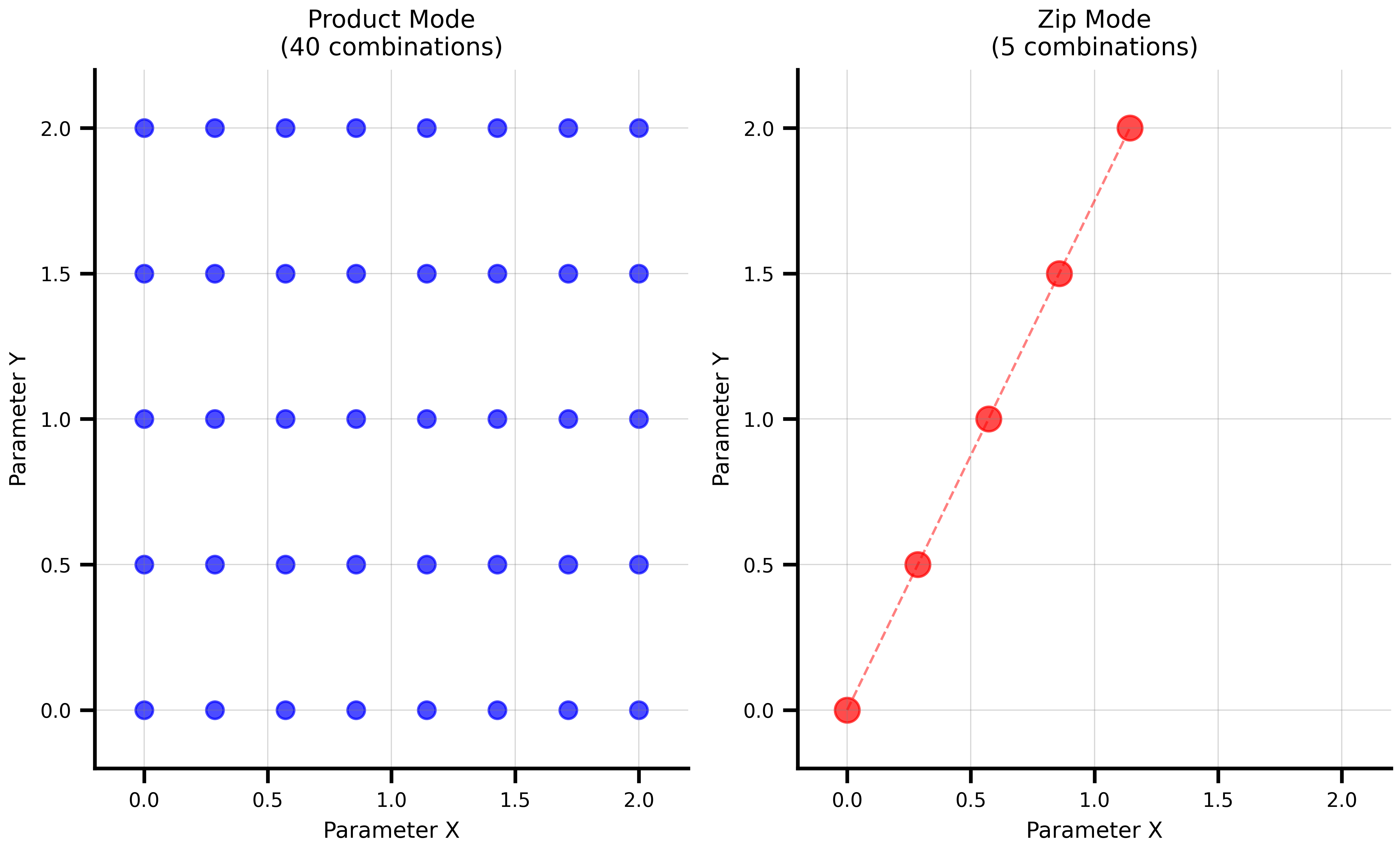
The two combination modes serve different exploration strategies:
### Product Mode (Cartesian Product)
Tests every combination of parameter values. Use this for systematic exploration.
```{python}
# Product mode: systematic exploration
product_state = {
    'param_a': GridAxis(0.0, 1.0, 3),
    'param_b': GridAxis(0.0, 1.0, 2),
}

product_space = Space(product_state, mode='product')
print(f"Product mode: {len(product_space)} combinations")

print("\nAll combinations (product mode):")
for i, params in enumerate(product_space):
    print(f"  {i}: a={params['param_a']:.1f}, b={params['param_b']:.1f}")
```
### Zip Mode (Parallel Sampling)
Pairs corresponding elements from each axis. Use this when parameters must move together.
```{python}
# Zip mode: matched sampling
zip_space = Space(product_state, mode='zip')
print(f"Zip mode: {len(zip_space)} combinations (uses minimum axis size)")

print("\nMatched combinations (zip mode):")
for i, params in enumerate(zip_space):
    print(f"  {i}: a={params['param_a']:.1f}, b={params['param_b']:.1f}")
```
```{python}
#| code-fold: true
#| code-summary: "Show visualization code"
# Create a more interesting comparison
comparison_state = {
    'x': GridAxis(0.0, 2.0, 8),
    'y': GridAxis(0.0, 2.0, 5),
}

product_comp = Space(comparison_state, mode='product')
zip_comp = Space(comparison_state, mode='zip')

# Extract coordinates for plotting
product_x = [p['x'] for p in product_comp]
product_y = [p['y'] for p in product_comp]

zip_x = [p['x'] for p in zip_comp]
zip_y = [p['y'] for p in zip_comp]

fig, (ax1, ax2) = plt.subplots(1, 2, figsize=(8.1, 5))

# Product mode visualization
ax1.scatter(product_x, product_y, color='blue', s=50, alpha=0.7)
ax1.set_xlabel('Parameter X')
ax1.set_ylabel('Parameter Y')
ax1.set_title(f'Product Mode\n({len(product_comp)} combinations)')
ax1.grid(True, alpha=0.3)
ax1.set_xlim(-0.2, 2.2)
ax1.set_ylim(-0.2, 2.2)

# Zip mode visualization
ax2.scatter(zip_x, zip_y, color='red', s=100, alpha=0.7)
ax2.plot(zip_x, zip_y, 'r--', alpha=0.5, linewidth=1)
ax2.set_xlabel('Parameter X')
ax2.set_ylabel('Parameter Y')
ax2.set_title(f'Zip Mode\n({len(zip_comp)} combinations)')
ax2.grid(True, alpha=0.3)
ax2.set_xlim(-0.2, 2.2)
ax2.set_ylim(-0.2, 2.2)

plt.tight_layout()
plt.show()
```
## Grouped Axes: Mixing Combination Modes
In many real-world scenarios, you need **both** zip and product behavior in the same space. For example, you might have matched experimental settings that must move in lockstep, combined with a parameter grid you want to explore exhaustively.
The `group` parameter on axes solves this. Axes sharing the same `group` label are **zipped together** into a single composite axis, regardless of where they sit in the state tree. Then all groups and ungrouped axes combine using the Space's mode (typically product).
### Basic Example
```{python}
# Three matched settings that must stay together
setting_values_a = jnp.array([1.0, 2.0, 3.0])
setting_values_b = jnp.array([10.0, 20.0, 30.0])

grouped_state = {
    'setting_a': DataAxis(setting_values_a, group='settings'),
    'setting_b': DataAxis(setting_values_b, group='settings'),
    'param_x': GridAxis(0.0, 1.0, 4),
}

space = Space(grouped_state, mode='product', key=jax.random.key(42))
print(f"Total combinations: {len(space)}")
print(f"  = 3 settings x 4 param_x = {3 * 4}")
print(f"  (NOT 3 x 3 x 4 = {3 * 3 * 4})")

print("\nAll combinations:")
for i, params in enumerate(space):
    print(f"  {i}: setting_a={params['setting_a']:.0f}, "
          f"setting_b={params['setting_b']:.0f}, "
          f"param_x={params['param_x']:.2f}")
```
Notice that `setting_a` and `setting_b` always move together (1 with 10, 2 with 20, 3 with 30) while `param_x` varies independently across its full grid.
Groups work across subtrees -- grouped axes don't need to be co-located in the state tree. You can also use multiple independent groups (each with its own label), and they each zip internally before being combined via the Space's mode. The `group` label can be any hashable value (strings, ints, tuples, etc.).
## Iteration & Access Patterns
Space supports standard Python iteration, integer indexing (including negative), and slicing. Slices return a new Space.
```{python}
demo_state = {
    'coupling': GridAxis(0.0, 1.0, 6),
    'noise': UniformAxis(0.01, 0.1, 6),
    'threshold': 0.5
}
demo_space = Space(demo_state, mode='zip', key=jax.random.key(42))

# Iterate
for i, params in enumerate(demo_space):
    if i >= 3: break
    print(f"  {i}: coupling={params['coupling']:.2f}, noise={params['noise']:.4f}")

# Index and slice
print(demo_space[0]['coupling'], demo_space[-1]['coupling'])
subset = demo_space[1:4]
print(f"Subset: {len(subset)} combinations")
```
### Converting to DataFrames
Both spaces and execution results can be converted to pandas DataFrames for easy analysis and plotting. Column names are derived automatically from the pytree structure of your state.
```{python}
# Parameter space as a DataFrame
df_params = demo_space.to_dataframe()
print(df_params.head())
```
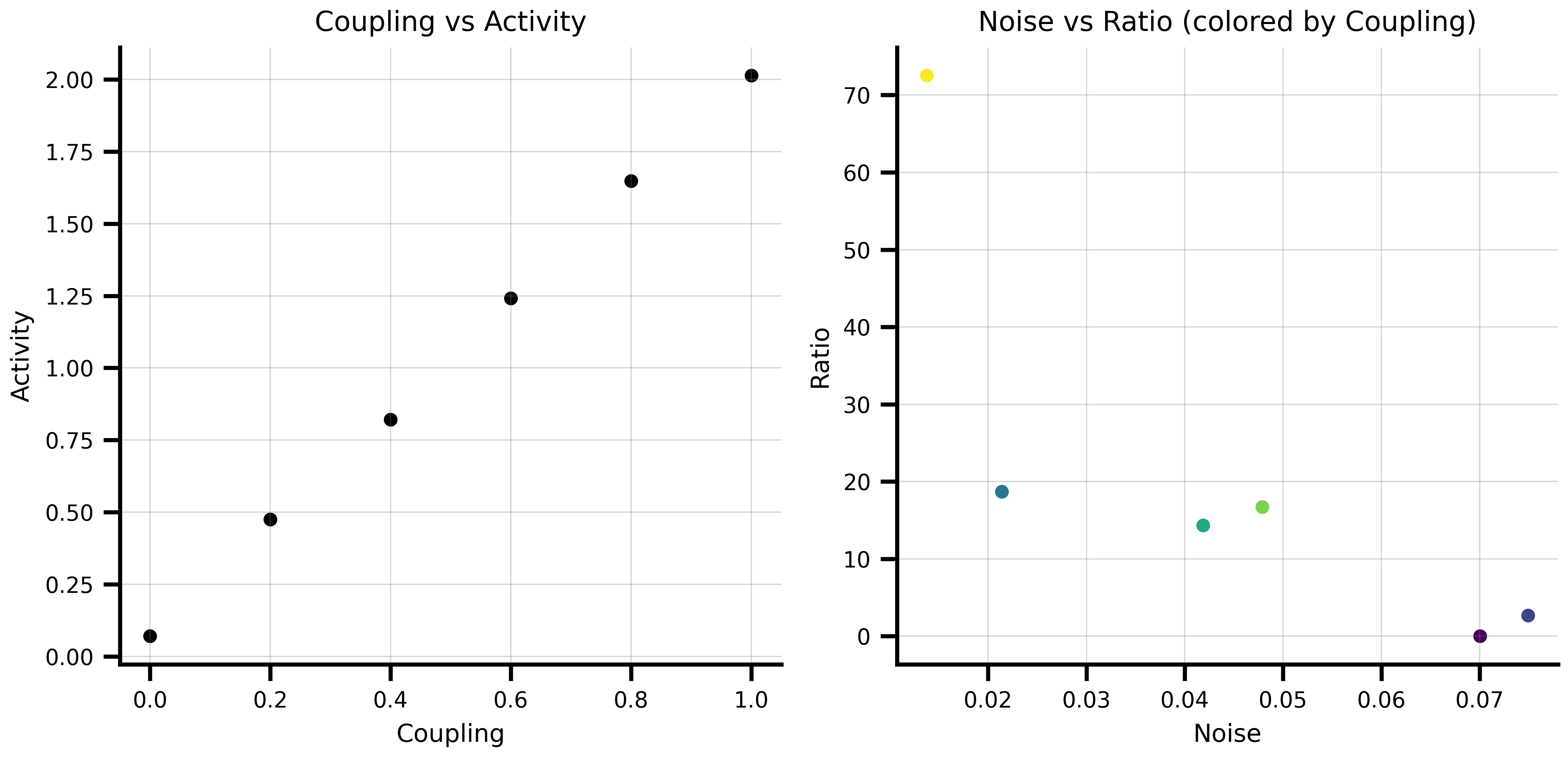
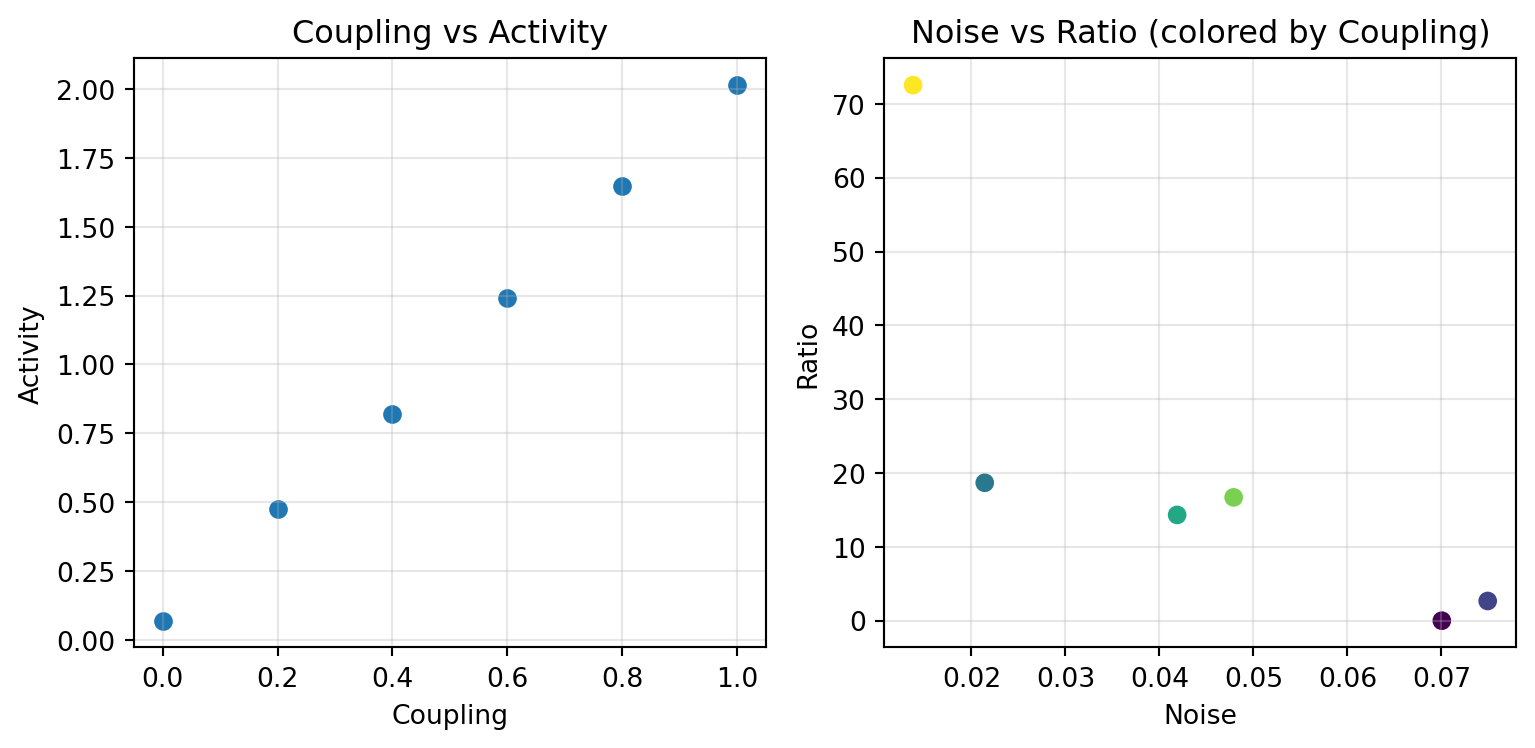
After running a computation, `Result.to_dataframe()` combines parameters and results into a single DataFrame, keeping them correctly aligned:
```{python}
from tvboptim.execution import SequentialExecution

def compute_metric(state):
    return {'activity': state['coupling'] * 2 + state['noise'],
            'ratio': state['coupling'] / (state['noise'] + 1e-6)}

result = SequentialExecution(compute_metric, demo_space).run()
df = result.to_dataframe()
print(df.head())
```
```{python}
#| code-fold: true
#| code-summary: "Show plotting example"
fig, (ax1, ax2) = plt.subplots(1, 2, figsize=(8.1, 4))

ax1.scatter(df['coupling'], df['activity'])
ax1.set_xlabel('Coupling')
ax1.set_ylabel('Activity')
ax1.set_title('Coupling vs Activity')
ax1.grid(True, alpha=0.3)

ax2.scatter(df['noise'], df['ratio'], c=df['coupling'], cmap='viridis')
ax2.set_xlabel('Noise')
ax2.set_ylabel('Ratio')
ax2.set_title('Noise vs Ratio (colored by Coupling)')
ax2.grid(True, alpha=0.3)

plt.tight_layout()
plt.show()
```
Nested state structures produce dot-separated column names (e.g. `model.G`, `noise.sigma`), and non-scalar results like arrays or matrices are stored as object cells in the DataFrame.
# Execution: Running Functions Over Spaces
The axis and space system works with any pure JAX function. The examples use a brain network model, a common application in TVB-Optim.
```{python}
import copy
from tvboptim.execution import SequentialExecution, ParallelExecution
from tvboptim.experimental.network_dynamics import Network, prepare
from tvboptim.experimental.network_dynamics.dynamics.tvb import ReducedWongWang
from tvboptim.experimental.network_dynamics.coupling import LinearCoupling
from tvboptim.experimental.network_dynamics.graph import DenseGraph
from tvboptim.experimental.network_dynamics.noise import AdditiveNoise
from tvboptim.experimental.network_dynamics.solvers import Heun

n_nodes = 8
network = Network(
    dynamics=ReducedWongWang(),
    coupling={'instant': LinearCoupling(source='S', G=0.5)},
    graph=DenseGraph(jnp.ones((n_nodes, n_nodes)) - jnp.eye(n_nodes)),
    noise=AdditiveNoise(sigma=1e-3, key=jax.random.key(0)),
)
solve_fn, base_cfg = prepare(network, Heun(), t0=0.0, t1=5.0, dt=0.1)
print(f"Prepared: {n_nodes}-node RWW network, {int(5.0/0.1)} time steps")
```
`prepare` returns a compiled solve function and a config object. Axes attach directly to config leaves, while `solve_fn` remains constant across the sweep.
```{python}
def observe(cfg):
    ys = solve_fn(cfg).ys  # shape: [n_steps, n_state_vars, n_nodes]
    return {'mean_S': ys.mean(), 'std_S': ys.std()}
```
## Sequential Execution
Sequential execution processes one parameter combination at a time. Use it for debugging, memory-constrained environments, or when your model doesn't vectorize cleanly.
```{python}
seq_state = copy.deepcopy(base_cfg)
seq_state.coupling.instant.G = GridAxis(0.1, 1.0, 8)

seq_space = Space(seq_state, mode='product')
seq_results = SequentialExecution(observe, seq_space).run()

df_seq = seq_results.to_dataframe()
print(df_seq)
```
```{python}
#| code-fold: true
#| code-summary: "Show visualization code"
fig, (ax1, ax2) = plt.subplots(1, 2, figsize=(8.1, 4))

ax1.plot(df_seq['coupling.instant.G'], df_seq['mean_S'], 'o-')
ax1.set_xlabel('Coupling G')
ax1.set_ylabel('Mean S')
ax1.set_title('Mean activity vs coupling strength')
ax1.grid(True, alpha=0.3)

ax2.plot(df_seq['coupling.instant.G'], df_seq['std_S'], 'o-', color='orange')
ax2.set_xlabel('Coupling G')
ax2.set_ylabel('Std S')
ax2.set_title('Activity variability vs coupling strength')
ax2.grid(True, alpha=0.3)

plt.tight_layout()
plt.show()
```
## Parallel Execution
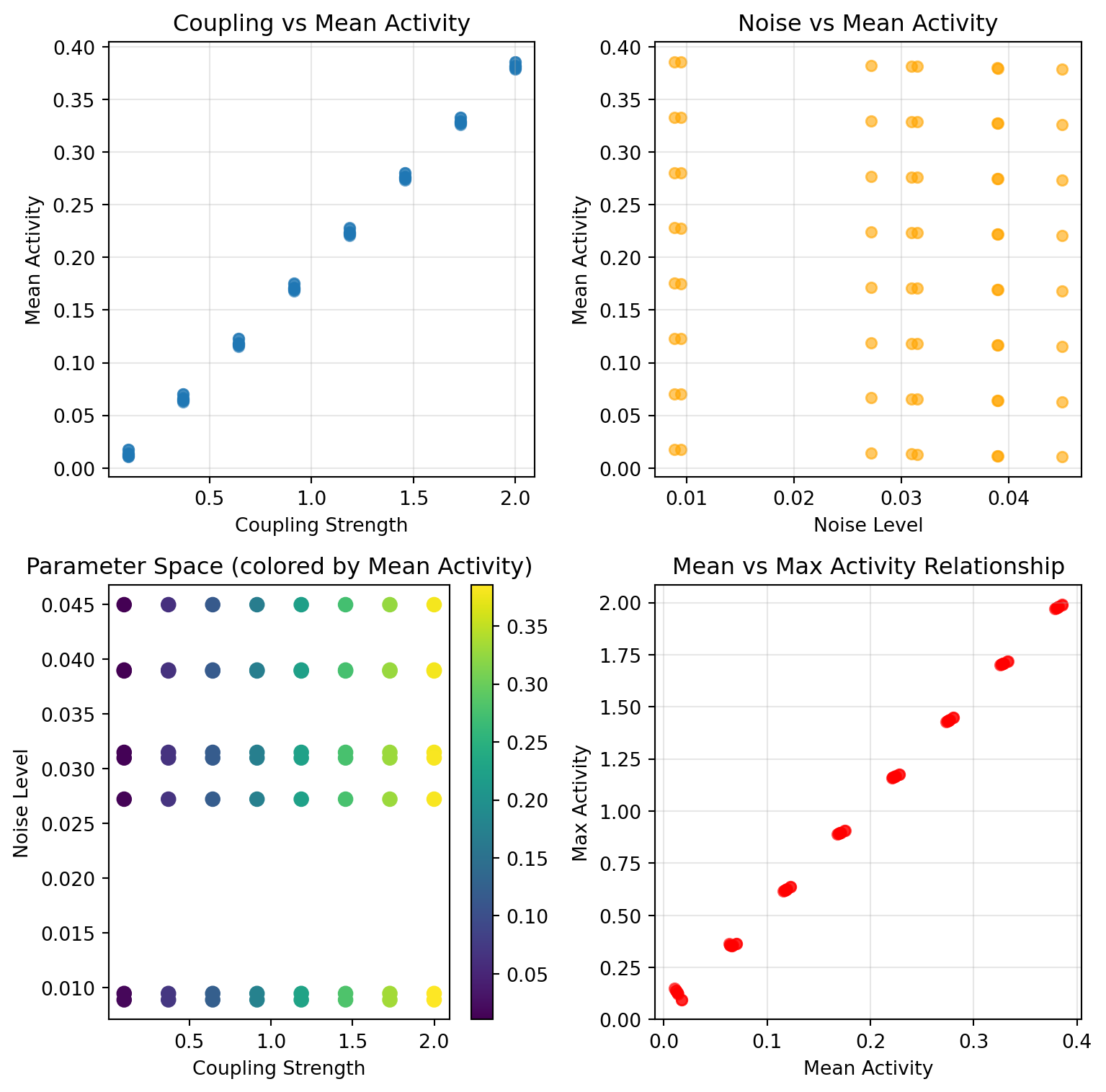
Parallel execution uses JAX's `pmap` and `vmap` for vectorized computation across multiple devices. With large parameter spaces, this is where the runtime difference becomes significant.
```{python}
par_state = copy.deepcopy(base_cfg)
par_state.coupling.instant.G = GridAxis(0.1, 1.0, 8)
par_state.noise.sigma = GridAxis(1e-4, 5e-3, 4)

par_space = Space(par_state, mode='product')  # 8 × 4 = 32 combinations
print(f"Parameter space: {len(par_space)} combinations")

par_results = ParallelExecution(observe, par_space, n_vmap=8, n_pmap=1).run()
print(f"Done: {len(par_results)} results")
```
```{python}
#| code-fold: true
#| code-summary: "Show visualization code"
df_par = par_results.to_dataframe()

fig, (ax1, ax2) = plt.subplots(1, 2, figsize=(8.1, 4))

for sigma, group in df_par.groupby('noise.sigma'):
    ax1.plot(group['coupling.instant.G'], group['mean_S'],
             'o-', alpha=0.7, label=f'σ={sigma:.4f}')
ax1.set_xlabel('Coupling G')
ax1.set_ylabel('Mean S')
ax1.set_title('G sweep across noise amplitudes')
ax1.legend(fontsize=8)
ax1.grid(True, alpha=0.3)

scatter = ax2.scatter(df_par['coupling.instant.G'], df_par['mean_S'],
                      c=df_par['noise.sigma'], cmap='plasma', s=40)
ax2.set_xlabel('Coupling G')
ax2.set_ylabel('Mean S')
ax2.set_title('Mean S across parameter space')
plt.colorbar(scatter, ax=ax2, label='noise σ')
ax2.grid(True, alpha=0.3)

plt.tight_layout()
plt.show()
```
## Optimising Inside a Sweep
An axis varies a state slot across lanes, while a `Parameter` marks a slot as differentiable. Multi-start optimisation needs both: each lane selects an initial value and then optimises it.
`wrap=` bridges the two. It is applied to the axis' value for each combination as it is substituted back into the state, so the model receives a `Parameter` and can optimise it directly:
```{python}
from functools import partial

from tvboptim.optim import OptaxOptimizer
from tvboptim.types import SigmoidBoundedParameter
import optax

# Eight starting points for the same parameter, optimised in parallel
starts = jnp.linspace(0.15, 0.9, 8)

multistart = {
    'G': DataAxis(starts, wrap=partial(SigmoidBoundedParameter, low=0.05, high=1.0)),
    'target': 0.6,
}

def fit(state):
    def loss(s):
        return (s['G'].constrained_value - s['target']) ** 2

    opt = OptaxOptimizer(loss=loss, optimizer=optax.adam(0.05))
    final, _ = opt.run(state, max_steps=100)
    return final['G'].constrained_value

space = Space(multistart, mode='zip')
fitted = ParallelExecution(fit, space, n_vmap=4, n_pmap=1).run()
print(f"Recovered from {len(starts)} starts: {jnp.ravel(jnp.asarray(fitted.results))}")
```
`fit` contains no parameter construction. The axis defines the wrapper and its arguments once.
Axis sampling bounds and parameter constraints are independent concepts, even when they happen to use the same interval. Bounded wrappers therefore require explicit values through `functools.partial`. A misconfigured wrapper raises when its first selected value is materialised.
Axes without `wrap` substitute raw arrays. Wrapping occurs per combination, so it does not affect `size`, `Space.N`, grouping, or `to_dataframe`.
Wrapping is a per-combination operation. A vector-valued `Parameter` is not
generally equivalent to a batch of scalar parameters, particularly when its
transform depends on the initial value. Therefore,
`Space.collect(combine=True)` rejects wrapped axes. Use `ParallelExecution` or
iteration for materialised states, and `collect(combine=False)` for raw batched
axis arrays.
Custom wrappers must be pure, trace-compatible callables that accept one
selected value and return the same JAX pytree structure for every value.
Built-in parameter types with strict input domains validate generated axis
values before mapped execution begins.
::: {.callout-tip}
`OptaxOptimizer.run` detects tracing and represents its step loop with `lax.scan`, avoiding graph unrolling with `max_steps` inside `ParallelExecution`. Per-step callbacks are unavailable under tracing; see [Parameters and Optimization](parameters_and_optimization.qmd).
:::
## Performance Comparison
For inexpensive models, JIT compilation and dispatch can cost more than parallel execution saves. The crossover depends on model complexity and problem size.
```{python}
import time

timing_state = {
    'param1': GridAxis(0.0, 1.0, 5),
    'param2': UniformAxis(0.0, 1.0, 5)
}
timing_space = Space(timing_state, mode='product', key=jax.random.key(789))

def simple_model(state):
    return {'result': state['param1'] * state['param2']}

print("Performance comparison on 25 parameter combinations:")
print("=" * 55)

seq_exec = SequentialExecution(simple_model, timing_space)
start = time.time()
seq_results = seq_exec.run()
seq_time = time.time() - start
print(f"Sequential execution: {seq_time:.4f} seconds")

par_exec = ParallelExecution(simple_model, timing_space, n_vmap=5, n_pmap=1)
start = time.time()
par_results = par_exec.run()
par_time = time.time() - start
print(f"Parallel execution:   {par_time:.4f} seconds")

if seq_time > par_time:
    print(f"Parallel speedup:     {seq_time / par_time:.1f}x faster")
else:
    print("Sequential was faster (overhead dominates for small problems)")
```
### When to Use Each Approach
**Sequential Execution:**
- **Debugging**: Easy to trace through individual parameter combinations
- **Memory constraints**: Processes one combination at a time
- **Complex models**: When models don't easily vectorize
- **Small parameter spaces**: Overhead of parallelization not worth it
**Parallel Execution:**
- **Large parameter spaces**: Massive speedups for hundreds/thousands of combinations
- **JAX-compatible models**: Models that can be easily vectorized
- **Production runs**: When you need results fast
- **Multi-device setups**: Can use multiple GPUs/TPUs
### Integration with Spaces
Both execution types work with all space features. Any axis type can be placed on any config leaf:
```{python}
mixed_state = copy.deepcopy(base_cfg)
mixed_state.coupling.instant.G = NumPyroAxis(dist.Beta(2.0, 5.0), n=4)
mixed_state.noise.sigma = DataAxis(jnp.array([1e-4, 5e-4, 1e-3]))

mixed_space = Space(mixed_state, mode='product', key=jax.random.key(0))
print(f"{len(mixed_space)} combinations (4 coupling samples × 3 noise levels)")

result = SequentialExecution(observe, mixed_space).run()
print(result.to_dataframe())
```
# Scanning Noise Seeds for Stochastic Simulations
For a stochastic `Network` integrated with a native solver, `config.noise.key` controls the per-step noise increments. Because the key is a regular leaf in the prepared config, an axis can replace it directly. The axis system substitutes the per-point key before each call.
```{python}
# Attach axes directly to the config; the leaves they target are
# substituted with per-point values at execution time.
grid_state = copy.deepcopy(base_cfg)
grid_state.coupling.instant.G = GridAxis(0.3, 1.5, 8)                       # Coupling sweep
grid_state.noise.key          = DataAxis(jax.random.split(jax.random.key(0), 8))  # Noise replicates

space = Space(grid_state, mode='product')

def observation(cfg):
    return solve_fn(cfg).ys.mean()

observations = ParallelExecution(observation, space, n_vmap=8, n_pmap=1).run()
```
Two things to know:
- **No re-`prepare` per seed.** The PRNG key is a config leaf, so the axis system substitutes it like any other parameter. `jax.vmap` over the resulting key batch dimension batches the single `jax.random.normal(config.noise.key, ...)` call inside the solve function, with no compile churn beyond the initial JIT.
- **Common random numbers across parameter sweeps.** Place the `DataAxis` of keys on its own to share one key across all `G` values, or use `mode='zip'` to pair keys and parameter values. Reusing noise trajectories can reduce variance in comparisons between parameter settings.
For workflows that require addressable increments, such as inference over Brownian increments or deterministic replay, set `config._internal.noise_samples` to an array with shape `[n_steps, n_noise_states, n_nodes]`. The scan selects this field at trace time instead of sampling internally. Changing between `None` and an array triggers JIT retracing. This input is supported only by native solvers. Diffrax supports changing `config.noise.key`, but its `VirtualBrownianTree` does not consume pre-sampled arrays.